pclshm.dev · hub.pclshm.dev · the tools' domain
Your tools. One starting point.
Six local-first tools for working with coding agents, each with its own job and its own place on the web. This page is the map: what every tool does, where its site lives, and how work moves from one to the next.
One person's toolbox, not a product. Everything is 0.x and still changing, the source repositories are private for now, and each tool's own page says exactly where it stands.
01 The tools
Six tools. Each one stands alone.
Install one and ignore the rest; nothing breaks. Five belong to the pclshm family. Repohone is endorsed rather than absorbed, so it keeps its own name, its own look and its own domains.
-
00
pclshm / hub
Desktop app
Your tools. One starting point.
The launcher. It finds the tools already on your machine, installs the rest from source into one workspace folder, and opens each one the way it expects: a window, a local server in your browser, or a terminal. It is optional by design, and every tool runs without it.
- Site
- This page — more on Hub below
- Runs on
- Windows · macOS · Linux
- Stands at
- 0.1.0 · no public build yet
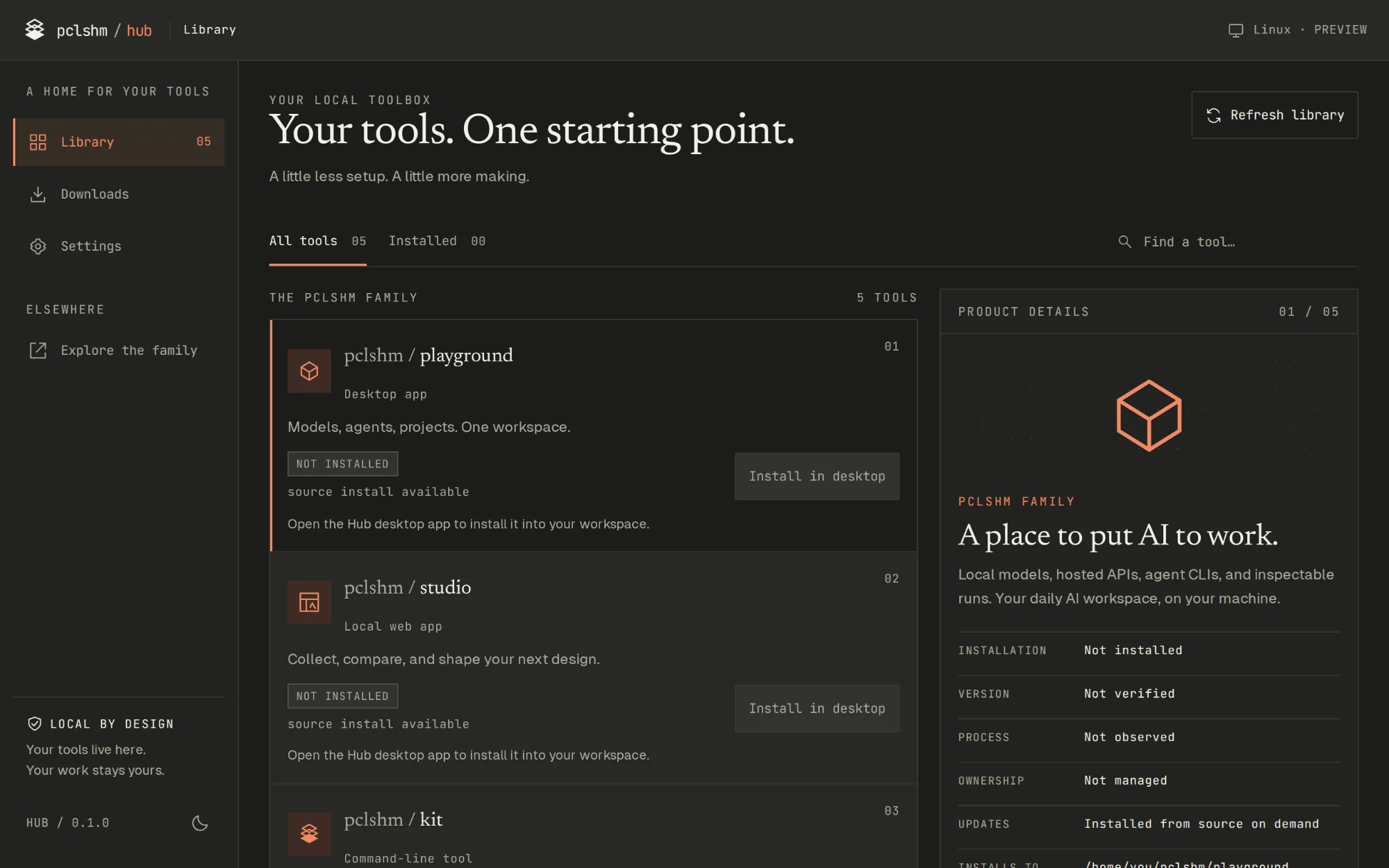
The library — five tools, one workspace. screenshot · Hub 0.1.0 · browser preview -
01
pclshm / playground
Desktop app · pg CLI
A place to put AI to work.
The daily AI workspace. It puts local models, hosted APIs and the coding agents you already have (Claude Code, Codex, Gemini and more) on one base, with projects, MCP tools, retrieval and generated assets beside them. Every run keeps its input, config, events and outputs, so you can inspect, replay, fork and compare it.
- Site
- playground.pclshm.dev — what it is, every feature with the panel and command behind it, and the installers
- Runs on
- Windows · macOS · Linux
- Stands at
- 0.1.0 · MIT · builds unsigned
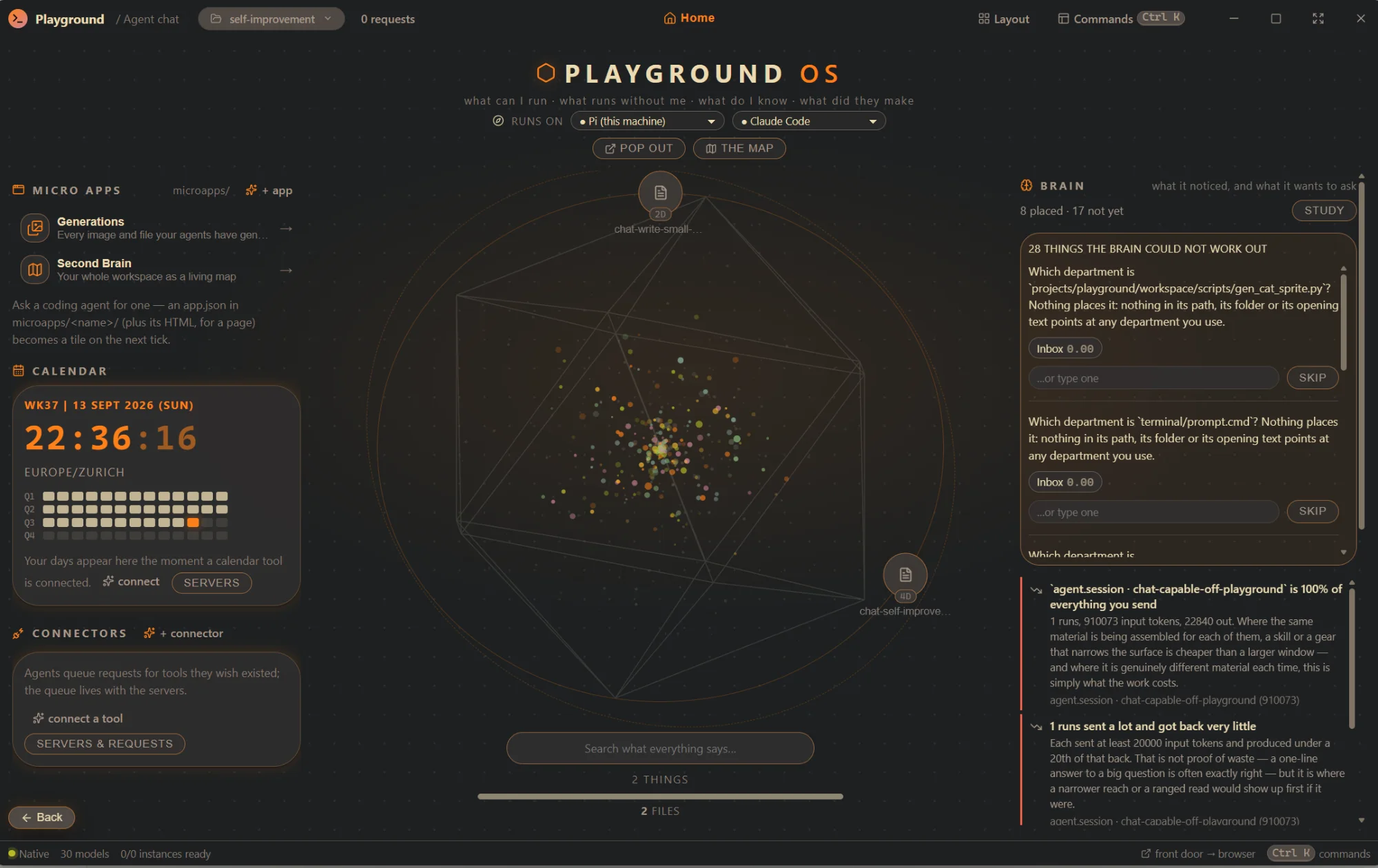
The front door — what can I run, what runs without me, what do I know, what did they make. screenshot · Playground 0.1.0 · Windows -
02
pclshm / studio
Local web app
From reference to something real.
A design workspace on localhost. Design Rater collects screenshots and links and labels them. Concept Generator turns one brief into several HTML directions to compare. Design Bake-off rebuilds a design under different generation skills, side by side. An MCP gateway hands the whole library to Claude.
- Site
- studio.pclshm.dev — the loop from reference to handoff, the four apps, the style groups and a bake-off, on one page
- Runs on
- Windows · macOS · Linux · Bun, in your browser
- Stands at
- 0.1.0 · no public build
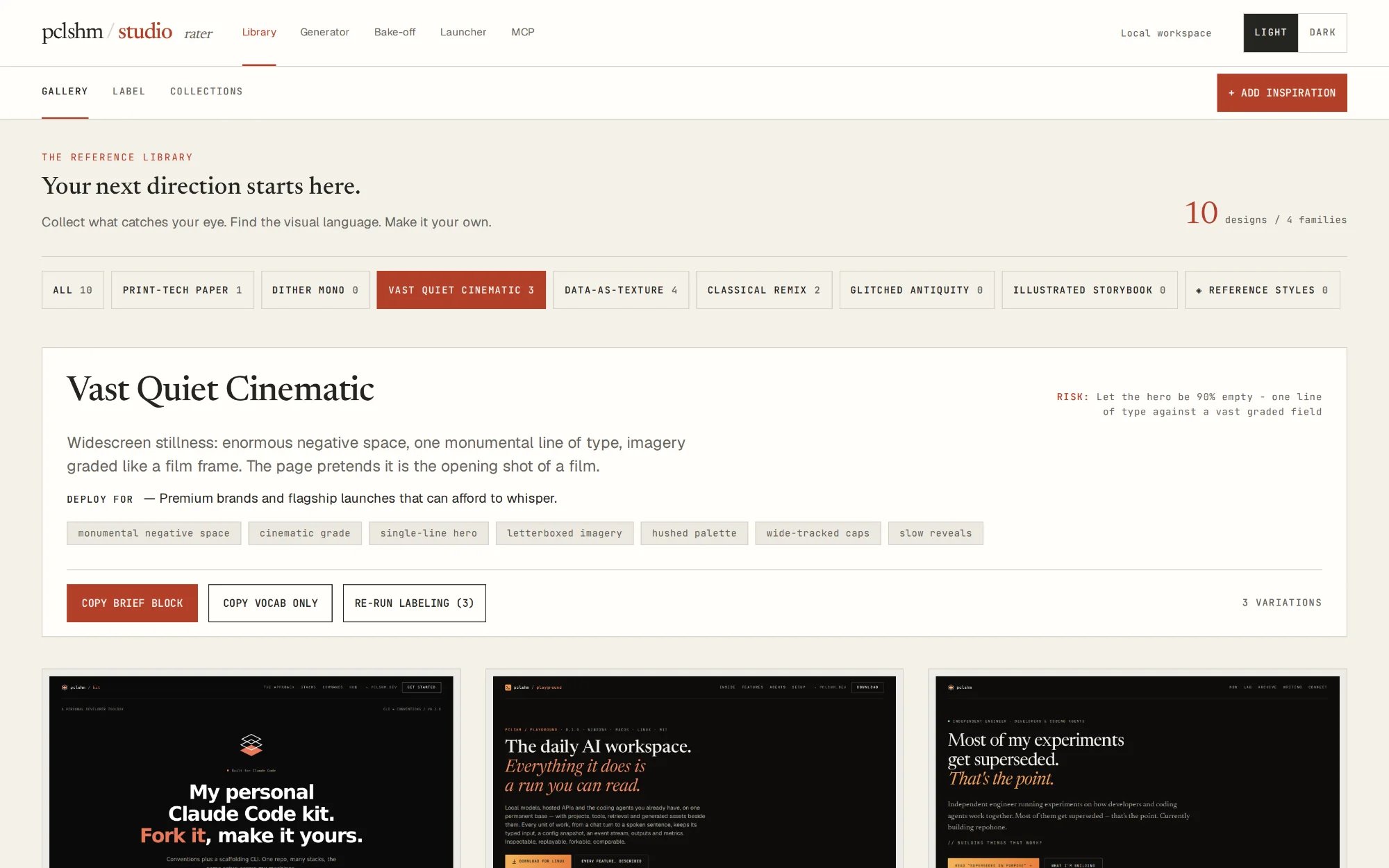
The library — every reference filed under one named style group. screenshot · Studio 0.1.0 · Design Rater -
03
pclshm / kit
Command-line tool · pk
Good projects start with good conventions.
Personal Claude Code conventions plus a scaffolding CLI: nine stacks share one agent-ready layout and
.claude/setup.pk newstarts a project,pk initadopts one you already have,pk updaterefreshes the conventions without touching your edits, andpk mcpoffers all of it to agents. It is a vibe-coded personal toolbox, not a product: fork it and make it yours.- Site
- kit.pclshm.dev — how it works, the stacks, the quickstart and every command, on one page
- Runs on
- macOS · Linux · Windows · Node 18+ or Bun
- Stands at
- 0.2.0 · MIT · from the repository, not npm
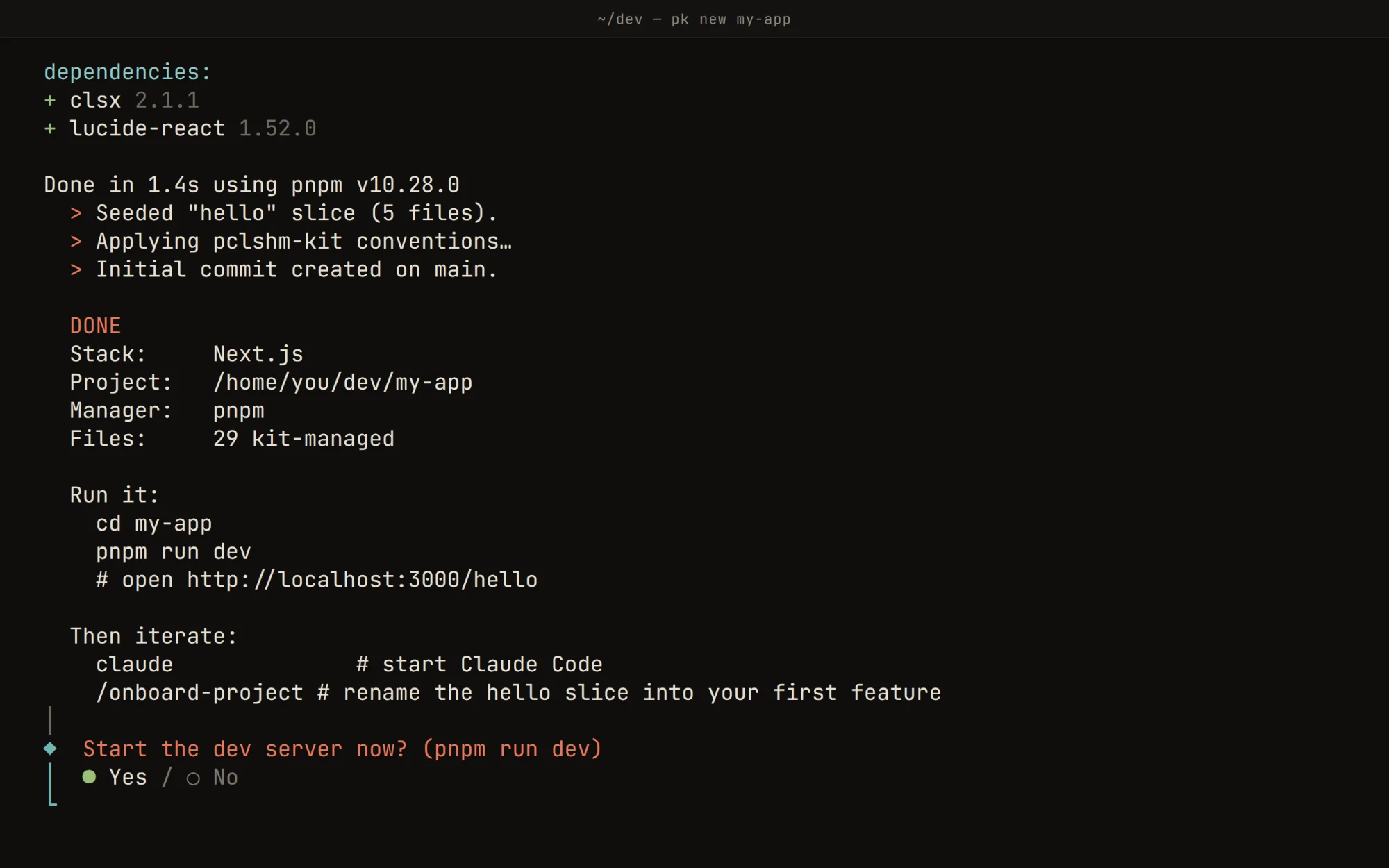
pk new — a Next.js project with the conventions in place. screenshot · Kit 0.2.0 · a real run, Linux -
04
pclshm / interface
Command-line tool · pif
Your own data, served to your agents.
It wraps HPI, the Human Programming Interface, so your browser history, commits, highlights, messages and more answer one search. You can reach it from a CLI, a browser view on localhost, or an MCP server your agents can call. It keeps no data of its own: HPI reads only what your own config points at.
- Site
- None of its own. This is its description.
- Runs on
- Linux · macOS · Windows · Python 3.11+
- Stands at
- 0.1.0 · MIT · serves 127.0.0.1 only
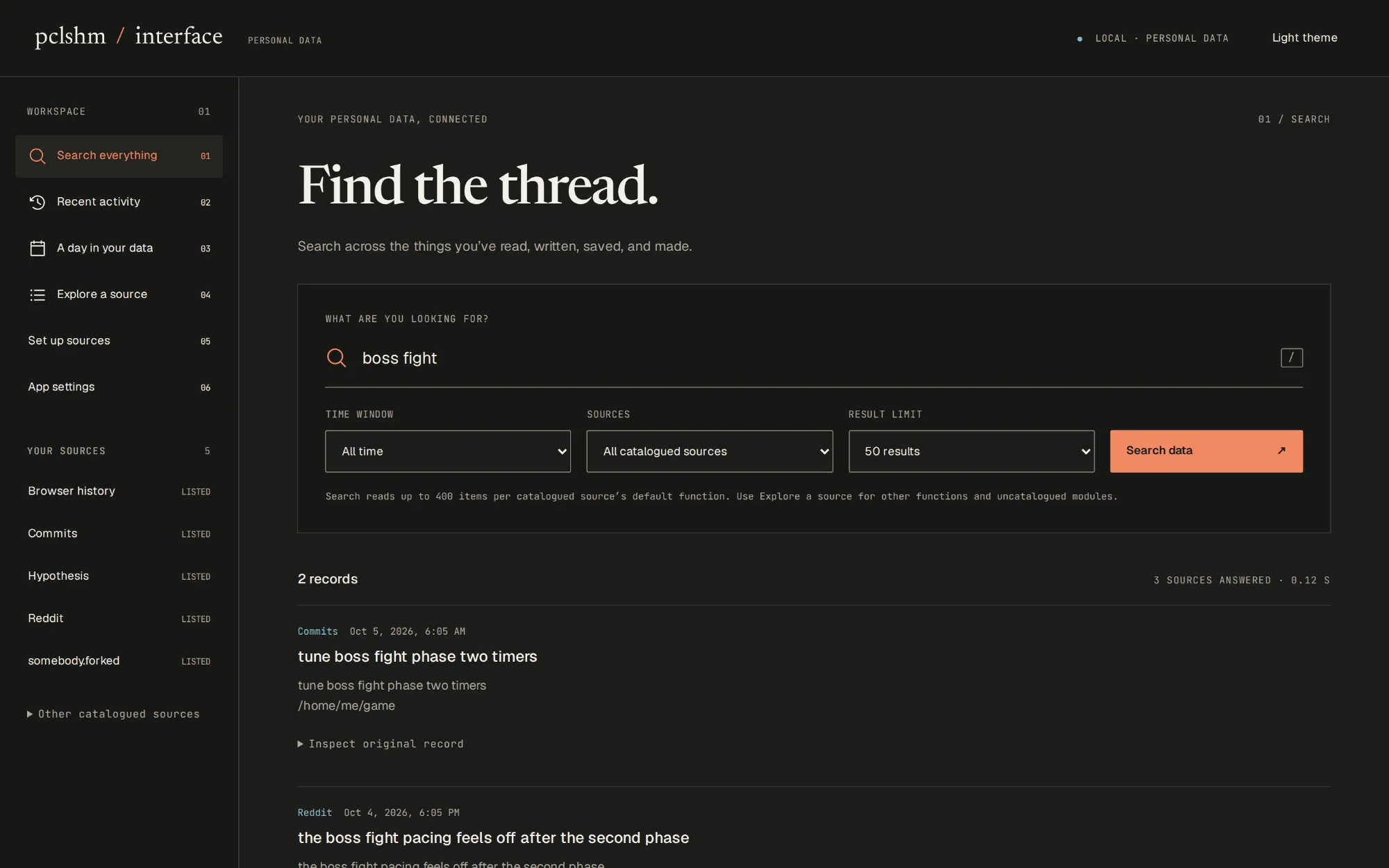
Search everything — one query across every source HPI reads. screenshot · Interface 0.1.0 · sample data -
05
Repohoneby pclshm
Local analysis tool
Hone your repo for agents.
It reads the coding-agent sessions you already ran and finds where the agent struggled: retry loops, schema failures, repeated reads. Then it hands you the exact edits that would have prevented it, such as an AGENTS.md section or a sharper tool description. It reads only, and nothing leaves your machine.
- Site
- repohone.com — what it finds and why, plus a UI demo with sample data
- Reads
- Claude Code sessions — more agents later
- Stands at
- pre-alpha · no download yet
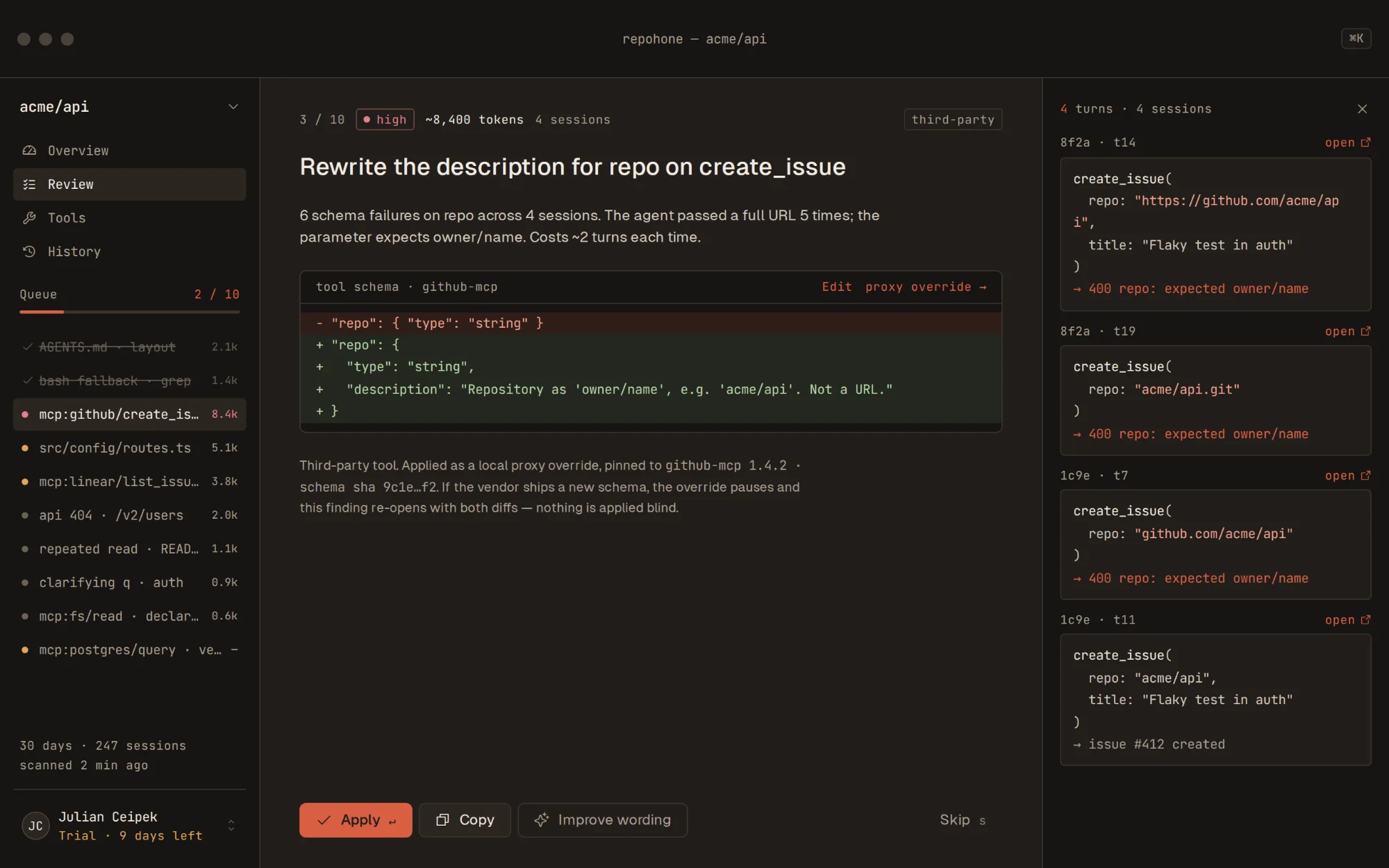
Review — one finding, its evidence and the exact edit. screenshot · Repohone UI demo · sample data
02 How they fit together
Folders, commands and MCP. Nothing in a shared cloud.
When the tools meet, they meet through ordinary things on your machine: a folder, a command, an MCP server on localhost. There are no accounts, no shared cloud and no shared database. Each tool keeps its own data in its own place.
01 Before
Shape it, then set it up.
- StudioCollects references, compares directions and bakes off a design.
- KitScaffolds the project, or adopts one you have, with conventions agents can read.
02 During
Do the work, with your context in reach.
- PlaygroundRuns agents, models and tools on one base, and keeps every run readable.
- InterfaceMakes what you have read, written and saved searchable, for you and for your agents.
03 After
Learn from how it went.
- RepohoneReads the finished sessions, finds the friction and hands back the edits.
Around all of it
Hub installs each tool from source into one workspace folder and opens it the way it expects. It never touches the work itself.
And round again: Repohone's edits land in the repository itself, so the next run starts from a sharper repo.
What actually passes between them
| Between | What passes | How |
|---|---|---|
| Hub to each tool | An install from source, then a launch | Clones the tool's repository into your workspace, builds it with the tool's own commands and opens it. After that it reads launch metadata only, never a tool's data. |
| Playground to Kit | Project scaffolding, as agent tools | pg kit install clones Kit and registers pk mcp. Agents scaffold projects through the kit.* tools, and every call asks you first. |
| Playground to Interface | Your own data, as search | pg interface install adds it. It becomes the personal part of Playground's search, and agents get it as the interface.* tools. |
| Studio to your agent | The design library | Its MCP gateway on localhost:4899 serves the library to Claude. Queued work opens in your agent CLI, in a terminal. |
| Sessions to Repohone | Finished transcripts, read-only | It reads Claude Code sessions from ~/.claude/projects without changing them. The edits it suggests are yours to apply. |
| Kit to every tool | The family look | One set of design tokens lives in Kit's repository, and each tool keeps a local copy of it. Nothing is fetched at runtime. |
03 Hub
The same starting point, on your desktop.
Hub is the launcher this page is named after. Give it one workspace folder. It finds what is already there, installs what is not, and opens each tool the way it expects.
- Find
It discovers checkouts and builds in the workspace, and tools you link from anywhere else. A linked tool stays yours: Hub opens it, and never updates or removes it.
- Install
It clones the tool's repository into the workspace and builds it with the tool's own documented commands. The build runs in the background, with a log. A missing prerequisite is named before anything runs.
- Open
It raises Playground's window, and starts Studio's launcher and waits for its health check before opening your browser. It serves Interface's browser view, and opens Kit and Repohone in a terminal.
Hub never runs agents, creates projects, reads transcripts or databases, or holds AI credentials. Your work stays with your tools. Hub only manages how you get there.
One folder for every tool
~/pclshm/
  playground/         Playground, with pg
  pclshm-studio/      Studio
  pclshm-kit/         Kit
  pclshm-interface/   Interface
  repohone/           Repohone
  data/playground/    Playground's home
  data/studio/        Studio's library
Where Hub stands
Hub has no public build yet. There is no release and no signed package, and the repository is private. The packaging is set up for Windows, for macOS 11 or later on Apple silicon and Intel, and for Linux x64, all unsigned. When there is something to download, it will be here.
pnpm install --frozen-lockfile
pnpm desktop         # develop the app
pnpm desktop:build   # package for this OS
Needs Node.js 22+, pnpm, Rust and Tauri CLI 2.11.1. Installs then need each tool's own toolchain; Hub names whatever is missing before it builds anything.
04 House rules
What every tool keeps to.
Local first.
Everything runs on your machine. Your work, transcripts and data stay where the tool that made them keeps them.
Each one stands alone.
No tool needs another to work. Hub is optional, Kit works without Playground, and Repohone keeps its own name.
Say only what is true.
No invented versions and no “coming soon”. No page shows an installed or running state it cannot see. If something is not available, the page says so.
Superseded on purpose.
Most experiments get replaced by something better. That is the point, and here is why.